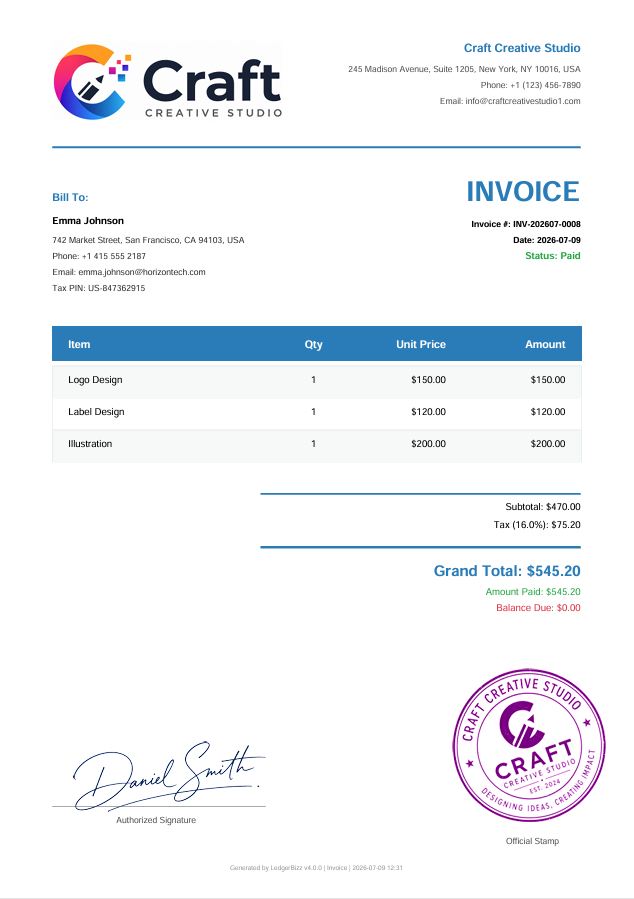
Invoice
Bill customers professionally for products or services with automatic numbering and tax calculations.
Create professional invoices, receipts, quotations, LPOs, delivery notes, proforma invoices, credit notes, debit notes, and letterheads — all from one simple offline desktop application. Work offline, print when you need to, email PDFs when you want, and keep your business records organized on your own computer.
While LedgerBizz Standard is perfect for document management, we offer specialized versions tailored to specific industry needs.
Watch how easy it is to manage your business documents, track payments, and secure your data with our intuitive offline software.
Learn how to generate professional, branded invoices in seconds.
Configure automated, encrypted email backups to keep your data safe.
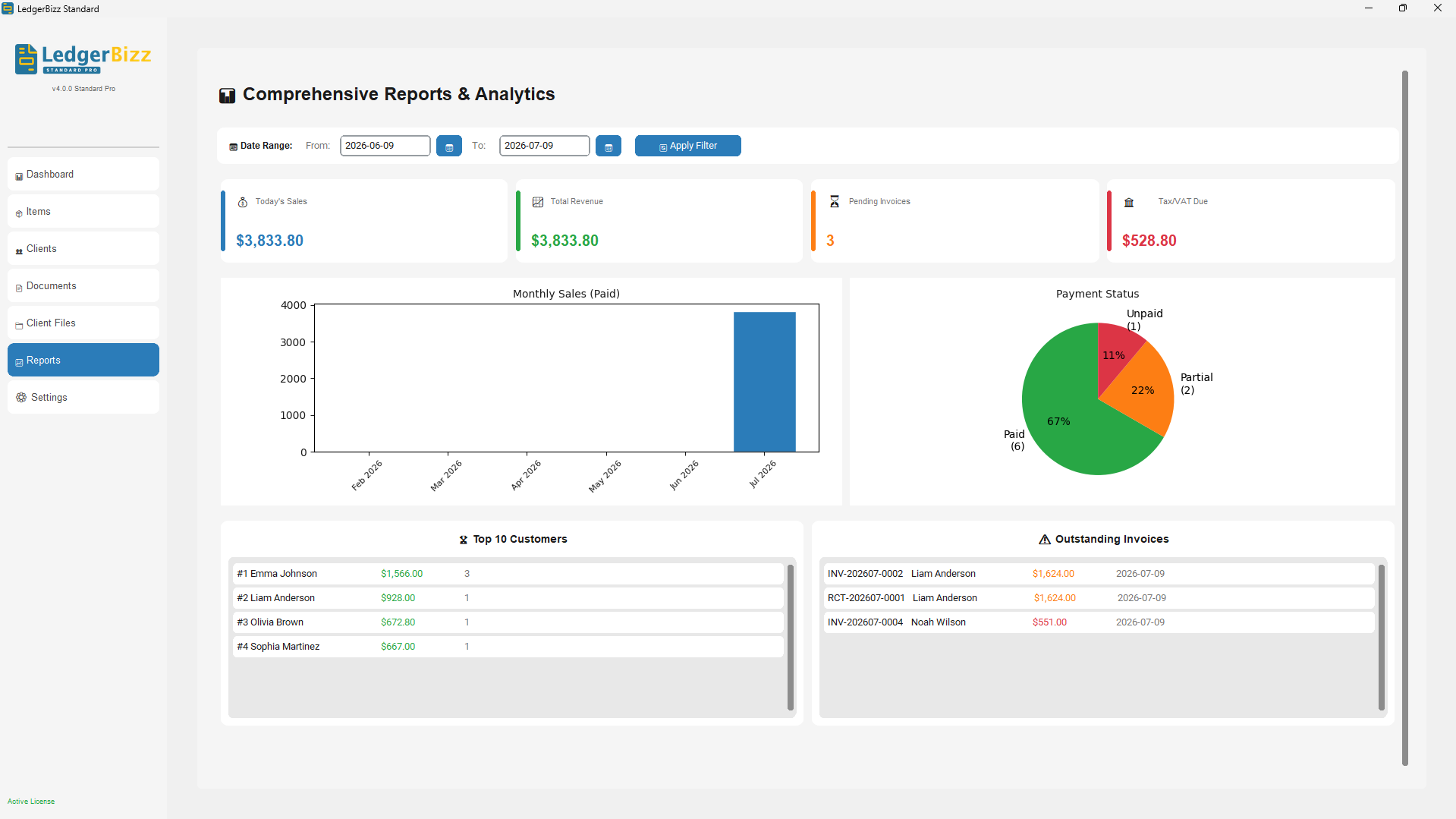
Use visual charts to track sales trends and outstanding payments.
Replace your printed stationery with a comprehensive digital document management system tailored for everyday business operations.
Bill customers professionally for products or services with automatic numbering and tax calculations.
Record and acknowledge payments instantly, linking them directly to outstanding invoices.
Provide professional, branded price estimates to clients before a sale is confirmed.
Generate Local Purchase Orders to order goods or services from your suppliers seamlessly.
Record goods delivered to customers with signature capture and tracking capabilities.
Provide preliminary pricing and transaction details for customs or advance payments.
Record reductions, returns, or corrections to previously issued invoices accurately.
Record additional charges or adjustments to existing customer accounts.
Create professional letterheads with customizable templates, company branding, headers, footers, and watermarks.
While creating professional documents is our foundation, LedgerBizz Standard goes further to give you complete control over your business finances and data security.
Eliminate manual math errors. The system automatically computes subtotals, applies tax/VAT rates, calculates discounts, and generates accurate grand totals in real-time as you build invoices, receipts, and quotes.
Make data-driven decisions with built-in visual dashboards. Track monthly sales trends, analyze payment status distributions, identify your top-performing customers, and monitor outstanding invoice aging with interactive charts.
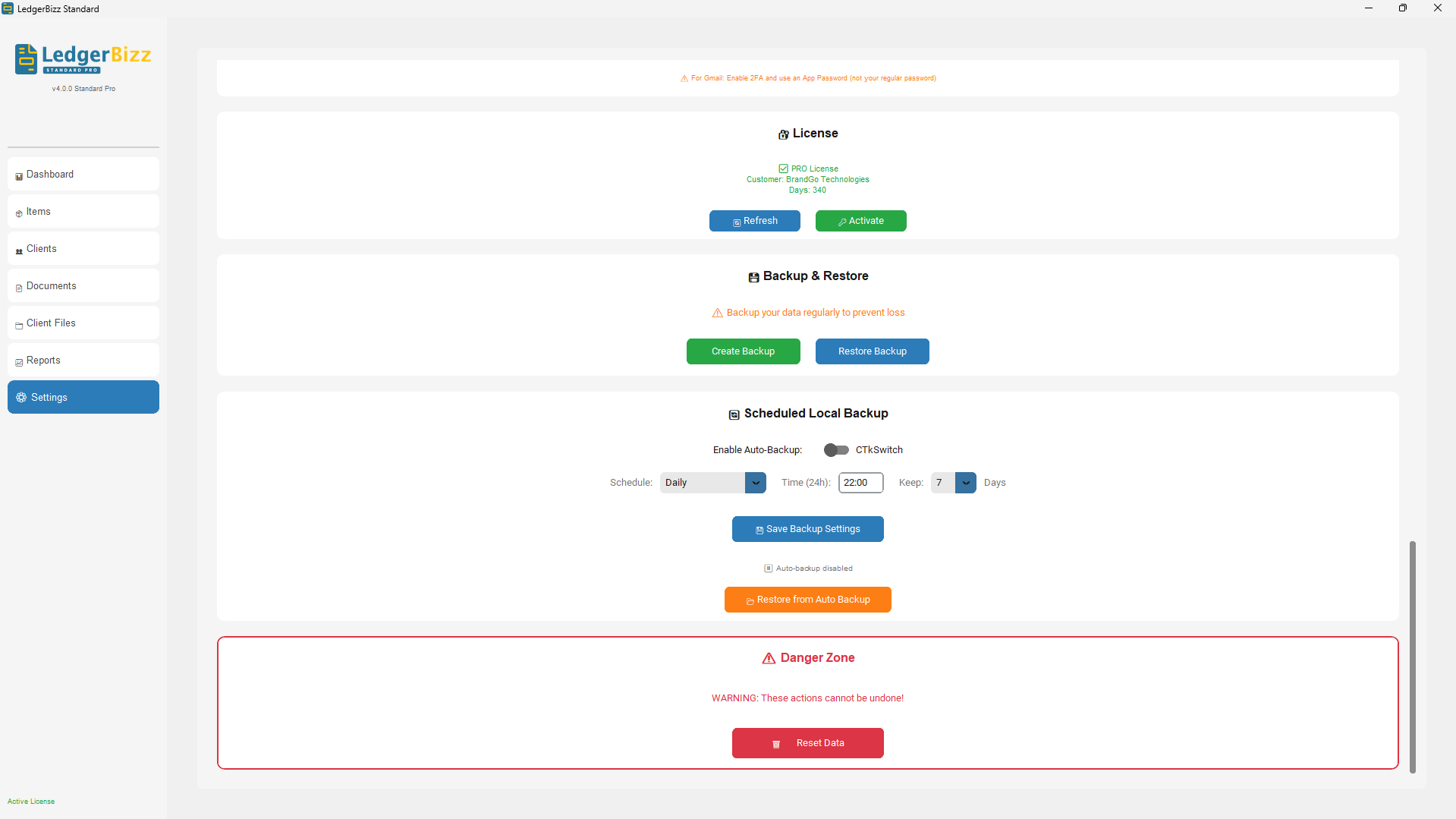
Your data is protected with automated, AES-256 encrypted local backups. Files under 20MB are automatically emailed to you with the decryption password. The built-in password vault and 1-click restore ensure your business can recover from any hardware failure instantly.
Many businesses still rely on outdated, error-prone physical stationery. It's time to upgrade.
LedgerBizz understands how your business actually operates. Link documents together effortlessly without manual data re-entry.
Convert approved quotations directly into invoices, and record payments instantly with linked receipts.
Track supplier orders from Local Purchase Order to delivery confirmation and final billing.
Easily issue corrections, returns, or additional charges linked directly to the original invoice record.
LedgerBizz Standard brings everyday paperwork into one powerful, easy-to-use offline application.
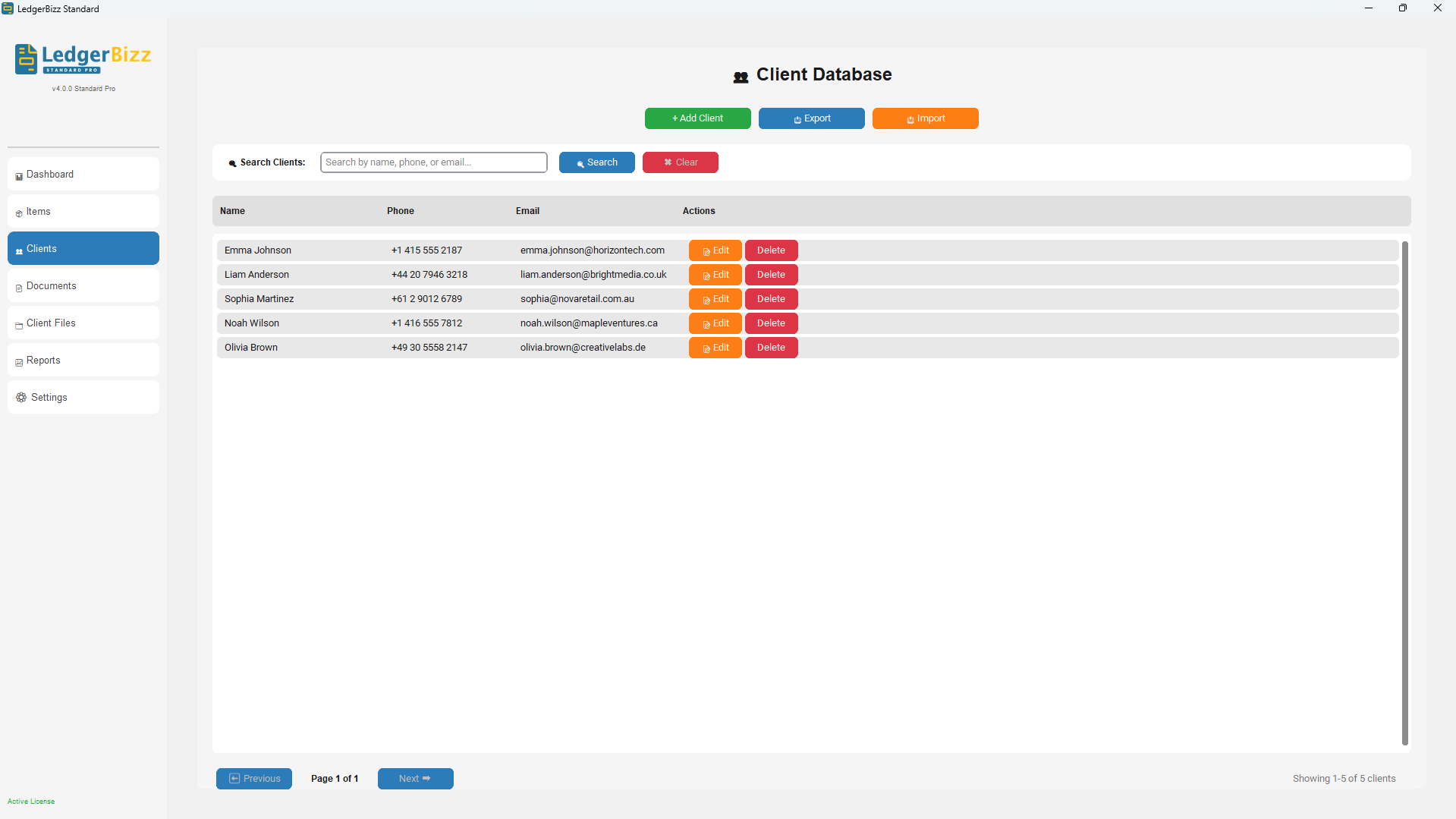
Store complete customer information, contact details, and full transaction history in one searchable database.
Keep your frequently used items, pricing, and tax rates ready for instant insertion into any document.
Choose from 10 stunning templates, add your company logo, stamps, and digital signatures to every document.
Print directly to your local printer or configure SMTP to email PDFs directly to clients from the app.
Migrate your existing data instantly with bulk Excel import, and export all records for external analysis.
Automatically compress all item photos to ≤100KB. This saves massive disk space and ensures backups stay small enough to email.
Never lose your backup decryption keys. All auto-generated passwords are securely stored and easily accessible within the app.
Recover your entire business state instantly from any encrypted backup file with our guided, one-click restoration process.
Whether you're a solo freelancer or a growing company, LedgerBizz adapts to your operational needs.
No cloud dependency. No monthly subscriptions for data storage. Your business records remain entirely yours.
Your business can keep working without internet. Data is stored locally on your machine, ensuring zero downtime.
Your database is protected with robust encryption. No third-party servers have access to your sensitive financial data.
Schedule automated AES-256 encrypted backups. Files under 20MB are emailed as attachments, and all decryption passwords are safely stored in the app's built-in password vault.
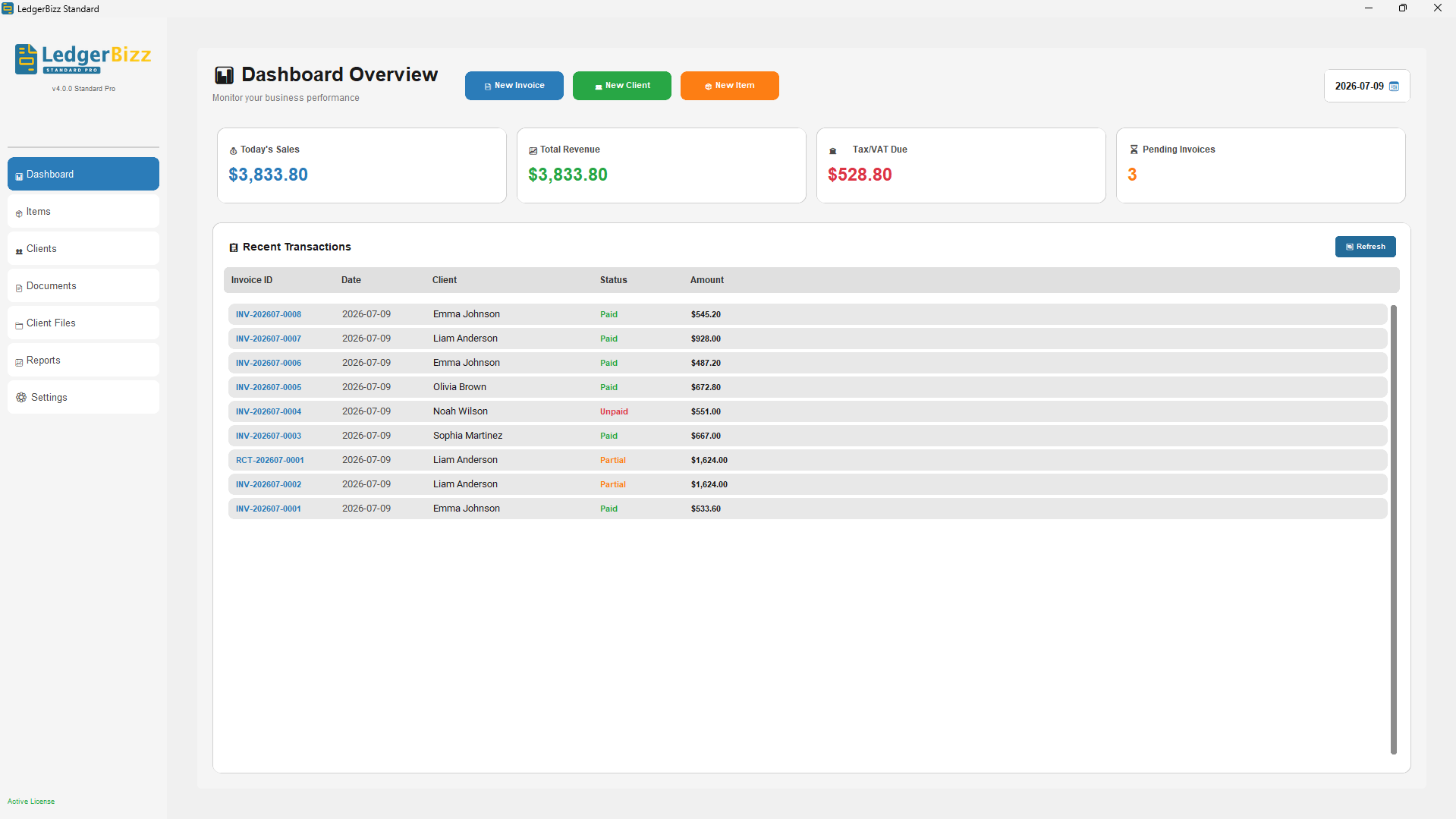
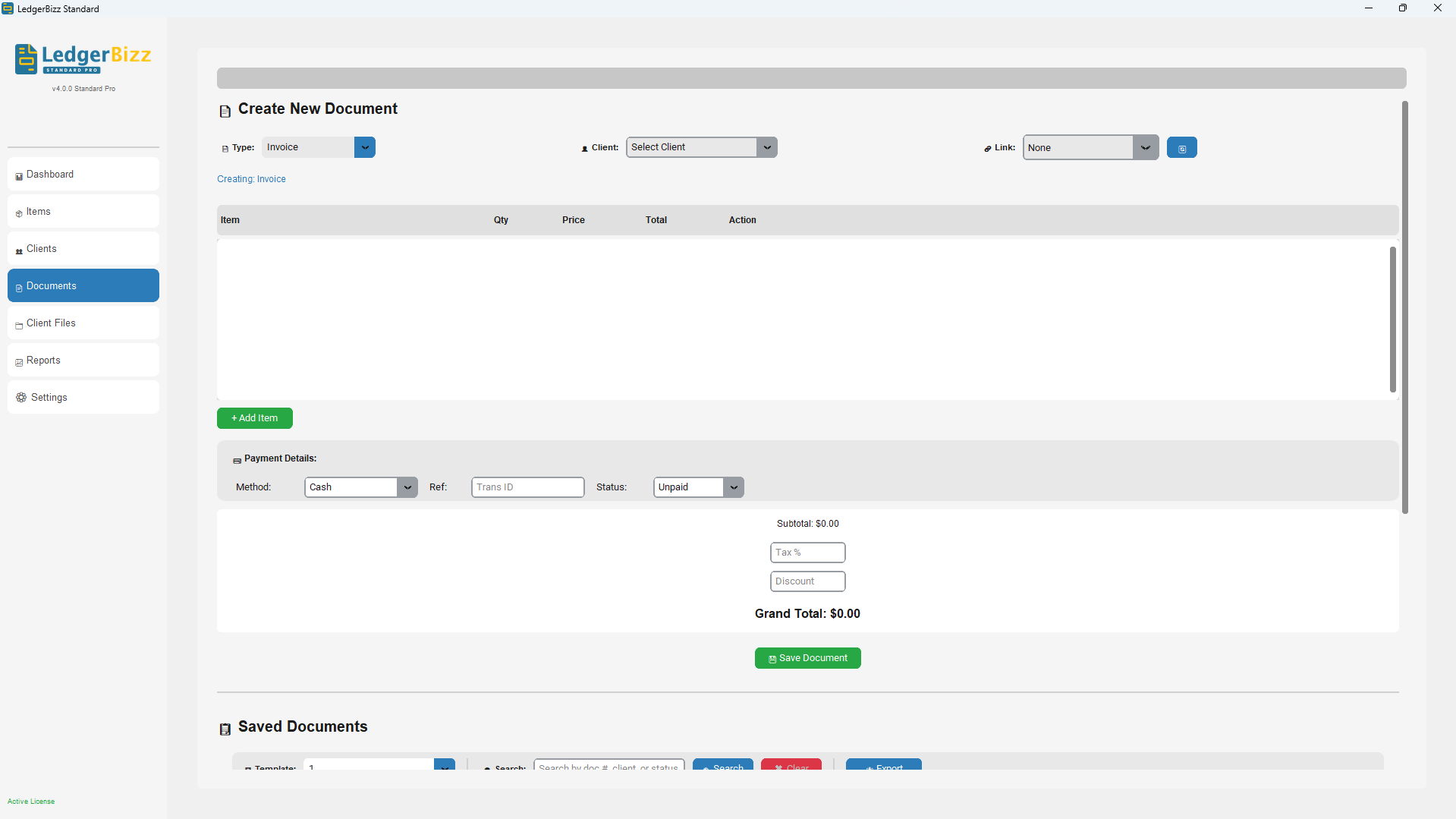
Explore our intuitive interface designed to make business document creation and management effortless.
Flexible licensing options designed for businesses of all sizes. Start free, upgrade anytime.
Get the latest official build, verify its integrity with the SHA-256 checksum, and see exactly what changed in each release.
Verify that your installer is authentic and hasn't been tampered with. This checksum is generated directly from the file on our server, so it always matches the current download.
Loading checksum from server…
ledgerbizz-standard-pro-v5.5.0-setup.exe into the app — it generates the SHA-256 checksum instantly.🔒 The toolkit runs 100% offline — your file is hashed locally on your PC and never uploaded anywhere. A green MATCH means your installer is authentic. A red MISMATCH means the file was corrupted or tampered with — do not install it; download it again from this page.
Updates are free for all licensed users. Just download the latest installer and install over your existing version — your data stays intact.
Everything you need to know about LedgerBizz Standard.
The free trial gives you full access to all core features including client management, document creation, payment tracking, and basic reports. Trial accounts are limited to 5 clients, 10 documents, and 10 items, with watermarked PDFs. No credit card is required to start.
No. LedgerBizz Standard is an offline desktop application that runs entirely on your computer. Your data is stored locally, so your business can keep working without internet. An internet connection is only needed for SMTP email integration and initial license activation.
The current desktop installer supports Windows 10 and Windows 11 (64-bit). Once installed, LedgerBizz Standard runs completely offline — no browser, cloud account, or monthly subscription is required.
LedgerBizz Standard is positioned as Offline Business Document & Office Management Software. It excels at creating everyday business documents, managing clients, tracking payments, and generating reports, without the complexity and cloud dependency of full-scale accounting suites.
LedgerBizz Standard creates 9 business documents from one program: Invoices, Receipts, Quotations, LPOs (Local Purchase Orders), Delivery Notes, Proforma Invoices, Credit Notes, Debit Notes, and professional Letterheads. Every document supports automatic numbering, your company branding, and clean PDF export.
Documents are linked so you never re-type data. Convert an approved Quotation into an Invoice, then record payments with linked Receipts. Track supplier orders from LPO to Delivery Note to final Invoice, and issue Credit or Debit Notes against an existing invoice. Just pick the source document in the Link dropdown and click Load to pull in its items, tax, and discount automatically.
The auto-backup feature creates AES-256 encrypted backups on your defined schedule. If the backup is under 20MB, the encrypted file is attached directly to an email sent to you, along with the decryption password. If it's larger, we send a secure notification with your password, reminding you to upload the local file to your cloud. You can also view and copy all backup passwords anytime from the app's "View Passwords" button in Settings.
Use Restore Backup in Settings and select any encrypted backup file. The decryption password is available in the app's password vault ("View Passwords") or in the backup email we sent you. To move to a new computer, create a secure backup, install LedgerBizz on the new PC, and restore the file — your clients, items, documents, and branding come with it. Contact support if you need help transferring your license.
Pro and Enterprise licenses are valid for one computer. The Lifetime license allows installation on up to 3 computers, making it ideal for business owners who work from multiple locations.
Your data is always yours. If your license expires, the software reverts to the free Trial mode. You can still view all existing records, generate reports, and export your information — you just won't be able to create new documents beyond the trial limits until you renew.
Yes. LedgerBizz Standard supports bulk Excel import for both clients and items. Simply prepare your data in the provided Excel template, and the software will import everything in seconds. Excel export is also available for all your records.
LedgerBizz Standard supports multiple payment methods including Cash, Bank Transfer, Check, Mobile Money, and Credit/Debit cards. You can also add custom payment methods to match your business needs.
Yes. When creating an invoice you can mark it Unpaid, Partial, or Paid and enter the amount received. The Record Payment button lets you add further payments later, each with its own method, transaction reference, and notes. The full payment history and remaining balance are tracked automatically.
All math is automatic. Enter a Tax/VAT percentage and LedgerBizz computes subtotals, tax, and the grand total in real time as you add items. Discounts can be a fixed amount or a percentage, and the system validates them so a document total can never go negative. Your tax liability is also summarized on the dashboard and in reports.
Navigate to Settings > SMTP Configuration and enter your email provider's SMTP details (server, port, username, password). We support Gmail, Outlook, Yahoo, and custom SMTP servers. Once configured, you can email PDF documents directly from the software.
Yes. In Settings, enable Custom Email Templates and edit the subject and body using built-in variables such as {customer_name}, {doc_type}, {invoice_number}, {total_amount}, {company_name}, and {date_created}. If you prefer the default, LedgerBizz sends a professionally designed HTML email with the PDF attached.
Absolutely. Upload your company logo, stamp, and signature in Settings and toggle each one on or off for your PDFs. Paid plans include 10 professional PDF templates, and the built-in Letterhead Generator adds headers, footers, and optional watermarks for official correspondence.
The dashboard shows today's sales, total revenue, tax/VAT due, pending invoices, and outstanding balances at a glance. The Reports tab adds monthly sales trends, payment-status charts, top customers, and outstanding invoice lists — all filterable by date range and exportable to Excel.
Updates are free for licensed users. Download the latest installer from the Version, Checksum & Updates section and install it over your existing version — your database, settings, and documents stay intact. As always, we recommend creating a secure backup before any major update.
The Version, Checksum & Updates section on this page displays the official SHA-256 checksum, generated directly from the installer on our server. The easiest way to check it is the free Code Signing Toolkit: drag & drop the downloaded installer into the app, click Copy on the checksum, paste it into the toolkit's Expected Hash Matcher, and you'll instantly see a green MATCH badge — everything runs locally on your PC. Prefer the command line? Run Get-FileHash in PowerShell or certutil -hashfile in Command Prompt and compare the output with the published checksum.
Our support team is ready to help you get the most out of LedgerBizz Standard. Reach out anytime.
Start your 10-day free trial today. No credit card required. Full access to all features.