A filing cabinet is a search engine with ten-minute latency and a single point of failure: the person who filed the document. That is the real problem with paper records — not the paper, but the retrieval model. And here is the trap on the other side: scanning everything into folders of PDFs just moves the chaos to a screen. Digital chaos is still chaos.
Organizing business records without paper files requires a system, not a scanner. This guide lays out a four-layer system — capture, structure, retrieval, protection — mapped to the actual tabs in LedgerBizz Standard, so "let me find that file" becomes a two-second answer.
The Four-Layer Records System #
| Layer | Job | Where it lives in the app |
|---|---|---|
| 1. Capture | Create records digitally at the source | Documents tab + Client Documents uploads |
| 2. Structure | One database, typed documents, automatic numbers | Client/Item Databases, Type dropdown, 🔗 Link chains |
| 3. Retrieval | Search, filter, export | Search boxes on every tab, dashboard date picker, Reports filters |
| 4. Protection | Encrypted backups, vault, tested restores | Scheduled Local Backup, 🔑 View Passwords, Restore Backup |
Most businesses that "went paperless" implemented layer 1 only. The other three are where the value lives.
Layer 1 — Capture at the Source #
The cheapest record to organize is the one born organized. Create every document digitally at the moment it happens: the quotation while the client is on the phone, the receipt the second payment lands, the delivery note while the client signs. Paper-first-then-scan is double work forever.
For papers you receive — signed contracts, permits, the client's own purchase order — the Client Documents tab is the inbox: select the client, add a description ("Signed maintenance contract 2026"), select the file, ↑ Upload. From then on it belongs to that customer's record, not to a folder tree someone has to remember.
For legacy paper, triage instead of boiling the ocean:
- Scan the active clients and last 12 months — the records you actually retrieve — into Client Documents.
- Box the rest, labeled by year and type, accessible but out of the way.
- From today forward, nothing new enters the box. The archive shrinks in relevance every month.
Layer 2 — Structure: Numbering and One Database #
Let the software issue the numbers #
A record without a stable identifier cannot be filed, referenced, or disputed reliably. LedgerBizz issues numbers automatically with a type prefix and date-based sequence — quotations look like QUO-202611-…, and invoices, receipts, LPOs, and notes each keep their own series. You never type one, never reuse one, never leave a gap by accident.
When a document is wrong, you do not delete it — you issue a linked Credit Note or Debit Note (their 🔗 Link dropdown lists the client's invoices), and add context in the Notes field of the ✏️ Edit dialog. History is append-only. That single rule is what makes your records trustworthy to an auditor, a lawyer, or your future self.
One client database, one item database #
Type each client's details once — or bulk-import them with 📤 Import on day one — and every document reuses them exactly. The same for products and services with their prices, descriptions, and photos. Two clean databases feeding nine document types beats nine private address books every time.
Link documents and let chains file themselves #
The app's real link map is your filing architecture:
- Invoice ← Quotation or LPO
- Receipt ← Invoice or Proforma
- Delivery Note ← Invoice or Quotation
- Credit / Debit Note ← Invoice
Pick the source, press 📥 Load, and the new document inherits the items, tax, and discount — and the link itself. Open any document's edit view and its payment history is right there; the chain is the folder. You never file anything twice, and nothing is orphaned.
Layer 3 — Retrieval: The Ten-Second Test #
Your records system passes or fails on three questions. Time yourself:
- "What did we charge Mwaura Enterprises in July?" — type the name in the Documents tab's search box (it filters by number, client, or status), or set the Reports date range and read the totals.
- "Who owes us money, oldest first?" — Reports → ⚠️ Outstanding Invoices is already sorted that way, top 15, with dates.
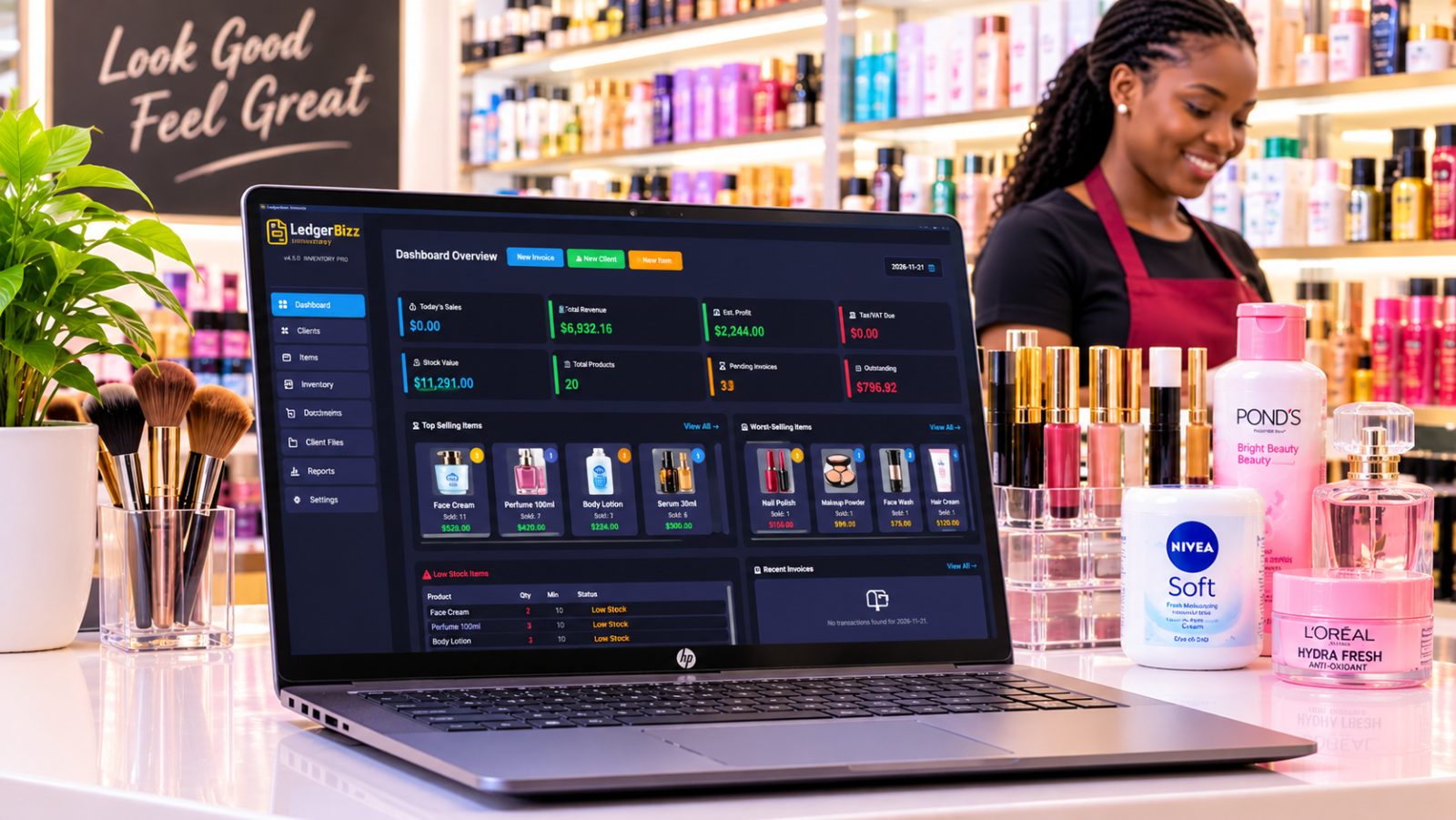
- "How much VAT did we collect this period?" — the dashboard's Tax/VAT Due card and the Reports date-range filter already sum it.
If any answer takes more than ten seconds, your structure is broken — usually layer 2, usually unlinked documents. And each answer exports via 📥 Export to Excel when your accountant wants the working papers. Bonus retrieval trick: the dashboard's 📅 date picker re-scopes the whole day view — sales, transactions, tax — to any date you click.
Layer 4 — Protection: Backups You Have Tested #
Paper's failure mode is total loss; digital records let you engineer that risk away:
- Scheduled AES-256 encrypted backups — Settings → Scheduled Local Backup: Daily, Every 12 Hours, or Weekly at your chosen time, with 7, 14, or 30 days of retention in the
auto_backupsfolder. The scheduler runs while the app is open, so pick an hour the machine is on. - Offsite copies by email — backups under 20MB arrive as encrypted attachments with their decryption password; larger ones trigger a secure notification to store the local file safely. Set a dedicated Backup Email in Settings if you want them sent somewhere other than your SMTP address.
- The 🔑 View Passwords vault — every backup's file, date, password, and emailed-status, each with a copy button. If SMTP was unconfigured, keys also land in
backup_passwords.txtbeside the backups. - File integrity — the Client Documents 🔍 Check Files button scans the whole library, flags files missing on disk, and offers re-upload or cleanup of orphaned entries.
- A quarterly restore drill — use 📂 Restore from Auto Backup, pick a recent file, and confirm your clients, documents, and branding come back. The restore preserves your current SMTP settings and password history, and fixes file paths automatically.
A backup you have never restored is a promise, not a plan. Put the quarterly drill in the calendar next to the tax deadlines.
Retention: Keep What the Law Requires #
Many jurisdictions expect business records to be kept for five to seven years — check the rule that applies to you, then build it into the system rather than your memory:
- Keep the live database complete; storage is cheap and history is valuable. (The 7/14/30-day retention applies to backup copies, not your records.)
- Export an annual Excel archive of clients, items, and documents at year end, and store it with your encrypted backups.
- Never purge disputed or corrected records — the credit-note trail is exactly what an audit wants to see.
- One caution about Settings → Reset Data: it wipes business records (it preserves SMTP, license, theme, and backup configuration, but not your documents). It is for starting fresh, not for tidying — tidying is what search and filters are for.
The Touch-It-Once Rule #
Every minute spent re-filing, re-typing, or re-searching is a tax on your own operation. The rule that eliminates it: record things once, at the moment they happen. Payments get logged the day they arrive via the 🪙 Record Payment dialog, with method and reference — the full discipline is in managing customer payments and outstanding balances. Documents get linked at creation with 📥 Load. Nothing is entered twice, so nothing needs reconciling twice.
The Friday Fifteen-Minute Routine #
- Confirm every payment received this week is recorded with its reference.
- Check Reports → Outstanding Invoices for clients who moved down the list.
- Send the scheduled reminders — 📧 from the document row, or 🔄 Resend from Email History.
- Verify this week's encrypted backup email arrived (the vault shows emailed-status per backup).
- On the first Friday of the month, 📥 Export the month's records to Excel for the archive.
Fifteen minutes a week keeps the entire system honest — and it is dramatically cheaper than the six hours a month the average paper office spends hunting through drawers, as we tally in the case for a paperless office.
The Bottom Line #
Organized records are not a personality trait; they are an architecture. Capture at the source, structure with automatic numbers and linked chains, retrieve in seconds, and protect with tested encrypted backups. The free 10-day trial of LedgerBizz Standard ships with all four layers built in — import your clients, issue your next document digitally, and give the filing cabinet its retirement party.