Let’s be honest: running a cosmetics shop is exciting. You get to work with beautiful packaging, trending skincare brands, and customers who are passionate about looking their best. But behind the glossy display of serums, lipsticks, and perfumes lies a logistical nightmare that keeps many shop owners awake at night.
It’s not just about knowing what you have; it’s about knowing when it expires.
Unlike selling phone chargers or t-shirts, cosmetics have a ticking clock. A vitamin C serum might have a shelf life of only 12 months. A sunscreen batch received in January might expire by December. If you aren’t careful, you could end up with shelves full of unsellable stock, or worse, accidentally selling expired products to loyal customers.
Spreadsheets can’t handle this complexity. They don’t warn you when a batch is expiring next week, and they certainly don’t calculate your true profit margin when supplier prices change every month.
This is where LedgerBizz Inventory Pro changes the game. It’s not just a digital notebook; it’s an offline Windows application designed to handle the specific quirks of the beauty industry—like batch tracking, weighted average costing, and barcode scanning.
In this guide, we’ll walk through how to use LedgerBizz to organize your catalog, track expiry dates by batch, manage suppliers, and keep your profits healthy.
1. Organize Your Catalog: One Product, Many Variations #
A common mistake in cosmetics retail is grouping everything under generic names like "Face Cream" or "Lipstick." But in reality, a "Face Cream" isn't just one item. It’s a matrix of brands, sizes, and skin types.
In LedgerBizz, you treat every distinct variation as its own Item.
For example, instead of one entry for "Nivea Lotion," you create separate records:
- Nivea Body Lotion 400ml
- Nivea Body Lotion 200ml
- Nivea Rich Nourishing Lotion 400ml
Why does this matter? Because each size has a different buying price, selling price, and stock level. By keeping them separate in the Items Tab, you can attach specific images to each product (helping your staff identify shades quickly) and set unique minimum stock alerts.
Pro Tip: Use the Image Optimization feature in LedgerBizz. It automatically compresses your product photos to under 100KB. This keeps your database light and fast, even if you have hundreds of high-quality images of makeup palettes and skincare bottles.
2. The Game Changer: Batch Tracking & Expiry Management #
This is the most critical section for cosmetics retailers. In many inventory systems, you just track "Quantity." But in LedgerBizz Inventory Pro, you can enable Batch/Lot Tracking.
Why is this essential for cosmetics? Imagine you buy 50 units of Glow Serum in March (expiring Dec 2026) and another 50 units in June (expiring Dec 2027). If you just track "100 units total," you have no idea which ones are about to expire.
How LedgerBizz Handles It: #
- Enable Expiry & Batch Tracking: Go to Settings > Expiry Tracking and turn it on. Then, enable Batch/Lot Tracking.
- Receive Stock by Batch: When you create a Purchase Order and receive stock, LedgerBizz asks for the Expiry Date for that specific batch.
- FEFO (First-Expired, First-Out): When you make a sale, LedgerBizz automatically deducts stock from the batch that expires soonest. This ensures you never get stuck with old stock while selling new stock.
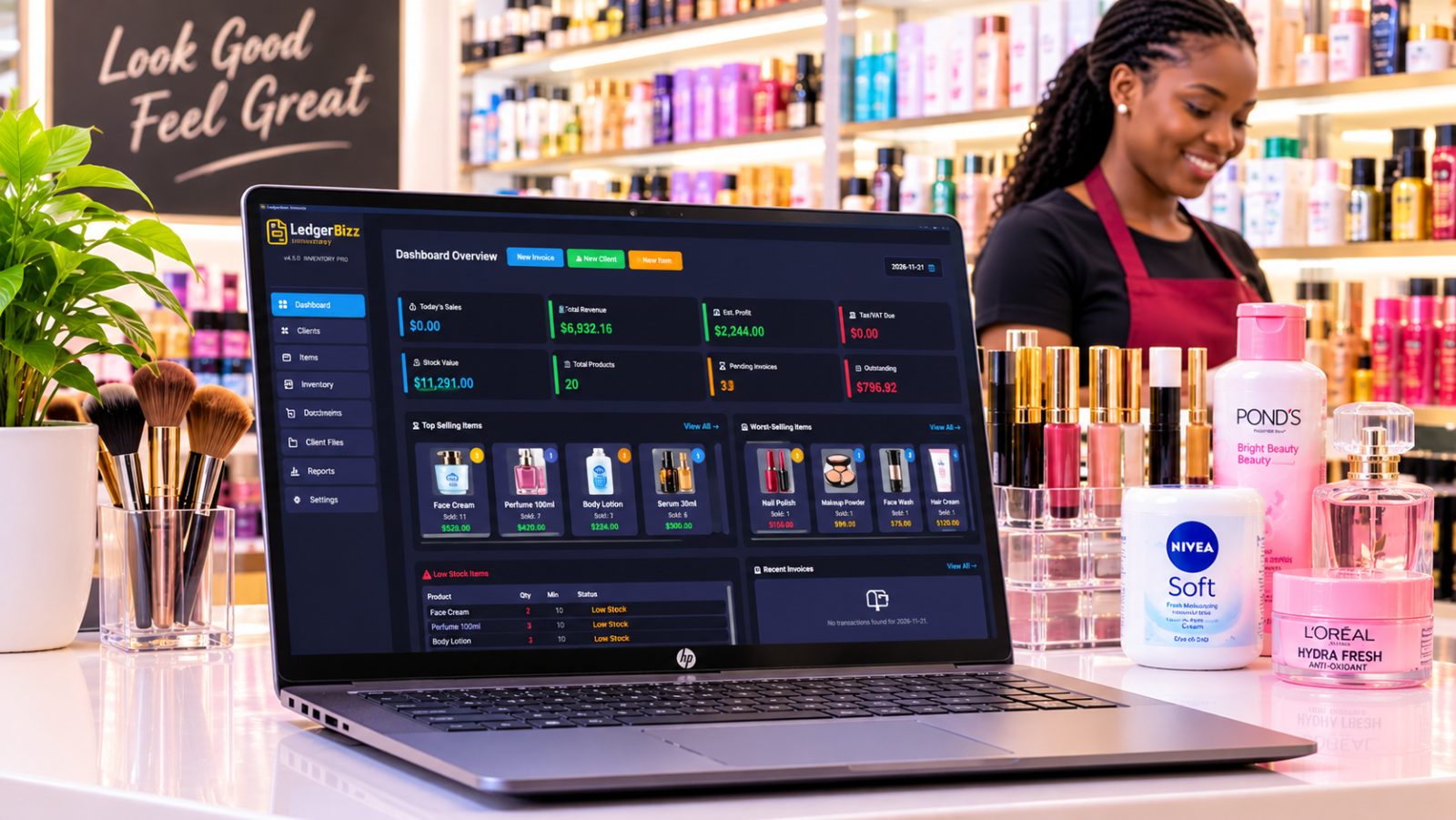
The Dashboard Alert: Your Dashboard will show you an Expiry Alert Panel. It highlights:
- 🔴 Expired: Items that are past their date (and blocked from sale if you choose).
- 🟠 Critical: Items expiring within your defined warning window (e.g., 30 days).
- 🟡 Warning: Items approaching expiry.
This allows you to run promotions on "Critical" stock before it becomes a total loss.
Note: Expiry dates are different from "Period After Opening" (PAO). LedgerBizz tracks the manufacturer’s expiry date for the unopened bottle. PAO is a customer-use guideline, but tracking the hard expiry date is your legal and financial safety net.
3. Speed Up Sales with Barcode Scanning #
During rush hour, you don’t want to scroll through a list of 500 lipsticks to find "Ruby Woo Shade."
LedgerBizz integrates seamlessly with standard USB Barcode Scanners.
- Scan to Add: In the Invoice screen, just scan the product. It instantly adds the item to the cart.
- Scan to Lookup: In the Items tab, scan a product to instantly filter and find its details.
- Generate Barcodes: If your supplier doesn’t provide barcodes, LedgerBizz can generate unique internal barcodes for your items. You can download these as PNGs or ZIP files to print labels for your shelves.
This reduces human error and speeds up checkout, making your shop feel more professional and efficient.
4. Smart Purchasing: Don’t Guess, Know #
Running out of best-selling foundation is bad. Buying too much mascara that nobody wants is worse.
LedgerBizz helps you strike the balance using Minimum Stock Levels and Supplier Management.
- Set Minimums: In the Items tab, set a "Min Stock Level" for each product. When stock dips below this, it appears in the Low Stock Report.
- Manage Suppliers: Keep a directory of your suppliers. When you need to restock, go to the Purchasing Tab, create a Purchase Order (PO), and select the supplier.
- Track Costs: Record the exact buying price for each PO. This is crucial because cosmetic prices fluctuate.
The Power of Weighted Average Cost (WAC) #
Cosmetic suppliers often change prices. If you bought 10 serums at $10 last month, and 10 serums at $12 this month, what is your cost?
LedgerBizz automatically calculates the Weighted Average Cost. It knows your true cost basis is $11. This means your profit reports are accurate, reflecting the real money you’ve spent, not just the last invoice price.
5. Accurate Invoicing & Customer Records #
Whether you’re selling to individual walk-in customers or wholesale to local salons, you need professional invoices.
In the Documents/Invoices Tab:
- Select the customer (or create a new one on the fly).
- Scan or select items.
- Apply discounts or taxes if needed.
- Choose payment status (Paid, Partial, Unpaid).
When you save the invoice, LedgerBizz automatically:
- Deducts the stock from your inventory (using FEFO for batch-tracked items).
- Updates your sales reports.
- Records the revenue.
You can also email invoices directly from the app if you have SMTP configured, or print them using customizable PDF templates (Classic, Modern, Corporate, etc.).
6. Know Your Numbers: Reports That Matter #
You can’t improve what you don’t measure. LedgerBizz’s Reports Tab gives you a clear picture of your business health.
- Sales Summary: See total revenue and profit for any date range.
- Top Selling Products: Identify which lipsticks or serums are driving your revenue.
- Low Stock Alerts: A quick list of what needs reordering.
- Expiry Report: A detailed list of all tracked items, sorted by expiry status. Export this to Excel to plan your clearance sales.
- Profit & Tax: Understand your gross profit after accounting for the Weighted Average Cost of goods sold.
7. Keep Your Data Safe: Offline & Encrypted #
One of the biggest advantages of LedgerBizz is that it is an Offline Windows Application. You don’t need an internet connection to make a sale, check stock, or create an invoice. This is perfect for shops with unstable internet.
But offline doesn’t mean unsafe.
- Auto-Backups: Schedule automatic backups to run daily or weekly.
- Encrypted Backups: Your backup files are AES-256 encrypted. Even if someone steals your backup file, they can’t read your customer data or supplier lists without the password.
- Email Backups: Configure SMTP to have backups emailed to you automatically, giving you an off-site copy of your business data.
Conclusion: Take Control of Your Cosmetics Business #
Managing a cosmetics shop is about more than just aesthetics; it’s about precision. You need to know exactly what’s on your shelves, when it expires, and how much it truly costs you.
LedgerBizz Inventory Pro gives you that control. With its robust batch tracking, automated expiry alerts, and smart purchasing tools, you can reduce waste, prevent stockouts, and focus on what you do best: helping your customers look and feel their best.
Ready to streamline your inventory? Download the 10-day free trial of LedgerBizz Inventory Pro today. Experience the difference of a system built for serious retailers.
- ✅ Offline Windows App
- ✅ Batch & Expiry Tracking
- ✅ Barcode Scanning Support
- ✅ Weighted Average Costing
- ✅ Encrypted Auto-Backups