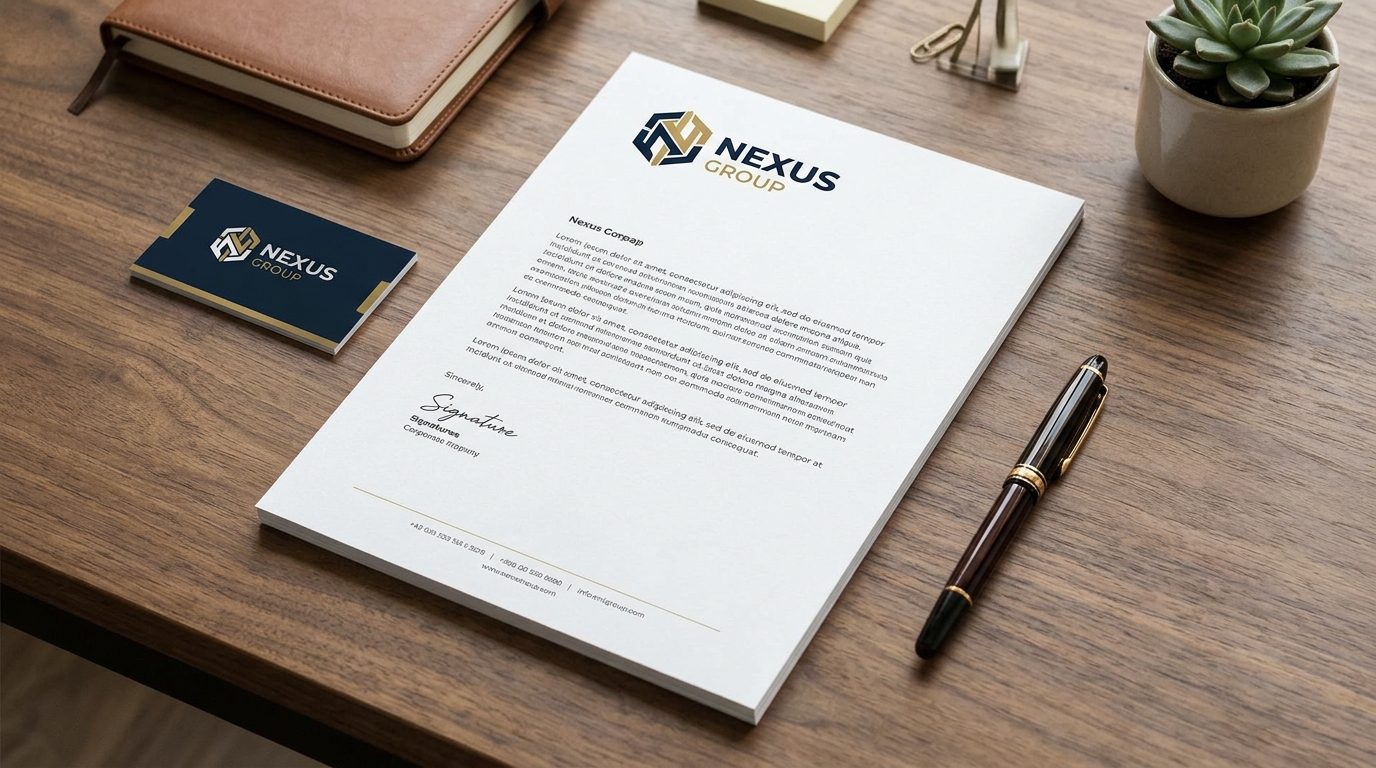
Somewhere in your office there is a box of five hundred printed letterheads. They cost real money, they occupy real space, and the phone number on them is from two years ago. Every letter you print on that stock quietly tells the recipient that your company is slightly out of date.
A digital letterhead fixes this permanently: one master template, always current, zero reprint cost, and a PDF that looks identical whether it is emailed or printed. Here is how to design one properly and generate it on demand with the Professional Letter Generator built into LedgerBizz Standard — opened with the Generate Letterhead button in the Documents tab.
Anatomy of a Professional Letterhead #
| Zone | What belongs there |
|---|---|
| Header | Logo and registered business name |
| Contact block | Physical address, phone, email — pulled from Settings → Company Information |
| Registration line | Tax/VAT or company registration number, where applicable |
| Body area | Generous margins and whitespace for the letter itself |
| Footer | A confidentiality line, contact details, or a legal notice |
| Watermark | Optional: DRAFT, CONFIDENTIAL, or COPY, used deliberately |
The letterhead is the frame, not the picture. If a reader notices your header before your message, the header is too loud.
Design Rules That Never Fail #
- One accent color, drawn from your logo. Not three, not a gradient rainbow — one.
- Consistent typography. The generator lets you set a default body size (8–18pt) and use H1–H5 headings for structure; keep the same sizes across all your letters.
- Logo at print resolution, never stretched, never pixelated. A blurry logo undermines every sentence below it.
- Choose the right page — the generator offers A4, Letter, and Legal; match what your recipients and printer expect.
- Quiet header, loud body. The letter is the content; the frame stays calm.
- Match your document templates. When the letterhead and the invoice share one visual identity, clients stop noticing the design and start trusting the company.
The Generator, Panel by Panel #
The dialog splits into an options panel on the left and the editor on the right.
Recipient and page #
Pick the client from the 👤 Recipient dropdown — their record feeds the email option later. Set Page Size and the Default Size for body text.
Header & Footer #
Toggle Show Header and Show Footer, and optionally First Page Only for multi-page letters where subsequent pages should read clean. The Footer Type dropdown offers Custom, Company Info, Legal Notice, and Contact Details — choosing one fills the custom footer box with a sensible starting line you can edit.
Branding #
Three checkboxes: Show Company Logo (on by default), Show Signature, and Show Company Stamp (both off by default — switch them on for letters that must read as formally issued). The images themselves come from Settings → Branding, shared with your invoices.
Watermark #
Enable it, type the text (the default is CONFIDENTIAL), and set opacity with the slider — 5% to 50%, with 10% the tasteful default. More on when to use it below.
Writing the Letter: A Real Editor, Not a Text Box #
The toolbar covers what formal correspondence actually needs:
- Bold, Italic, Underline — buttons or Ctrl+B / Ctrl+I / Ctrl+U, toggling cleanly on any selection.
- Alignment — Left, Center, Right, Justify, per line or selection.
- Indent In/Out — for quoted clauses and nested points.
- Size and Headings — a font-size dropdown plus Normal / H1–H5, so "RE: OUTSTANDING BALANCE" can look like a subject line, not a shout.
- Lists — No List, • Bullet, 1. Number, a. Letter, applied to selected lines with automatic numbering.
- Copy / Paste that keeps styling — paste from Word, a browser, or another letter and the bold, italics, sizes, and paragraph breaks survive; a Paste Plain Text option lives in the right-click menu when you want to strip everything.
- Show HTML Codes — a toggle for the underlying markup, for the rare moment you want surgical control. Ctrl+Z / Ctrl+Y undo and redo throughout.
Tip: draft your standard demand letter once — heading, numbered history, bold deadline — then save it as a template. Every future letter starts 90% written.
Templates: The End of the Printed Box #
The 📂 Template Management bar is the whole economics of this feature: 💾 Save As stores the current letter and all its settings under a name; 📥 Load brings it back; 🔄 Update revises it; 🗑️ Delete retires it. Change your phone number? Update the company info in Settings and your template's footer, press Update once, and every letter from that moment forward is correct. Compare that with the printed-box reality: notice the error, reprint five hundred sheets, wait a week, and hope nobody uses the old stock.
When a Letter Deserves Letterhead #
Not every message needs the full frame — but these do:
- Formal payment reminders and final demands (see our payments guide for the cadence)
- Contract cover letters and signed agreement transmittals
- Tender and prequalification submissions
- Recommendation and reference letters
- Official complaints and responses to complaints
- Appointment, confirmation, and termination notices
The rule of thumb: if the letter might one day be read by a lawyer, an auditor, or a procurement committee, it goes on letterhead.
Watermarks: Use Them Deliberately #
A watermark is a status label for the document:
- DRAFT — internal review copies that must never be mistaken for issued letters.
- CONFIDENTIAL — sensitive correspondence where handling discretion matters.
- COPY — duplicates of an issued original, so the two can never be confused.
Set it per letter, at low opacity, and turn it off for final client-facing originals. A permanent watermark on everything is decoration; a deliberate watermark is communication.
Out the Door: PDF, Print, or Email #
Three buttons finish the job:
- 📥 Generate PDF — saves the letter (default filename
Letter.pdf) and opens it. - 🖨️ Print — opens it in your PDF reader, ready for Ctrl+P.
- 📧 Email to Client — sends it to the selected recipient as a PDF attachment wrapped in a professional HTML email, subject "Letter from {your company}". If the client has no email on file, the app asks for one; if SMTP fails, it offers your default email client with the message pre-filled.
The Printed-Box Math #
| Line | Printed letterheads | Digital letterheads |
|---|---|---|
| Design + print run | $40–$80 per batch | $0 after setup |
| Reprint when details change | Every single time | Never |
| Storage | A cupboard shelf | One saved template |
| Risk of old stock circulating | Constant | Impossible |
| Setup time | Days to weeks | One afternoon |
The numbers are illustrative but the direction is universal: digital letterhead converts a recurring stationery cost into a one-time setup task. It is the same argument we make for the whole office in why every small business needs a paperless office system.
The Bottom Line #
Retire the box. Set up one master template with your current details, generate letters as PDFs on demand, and let watermarks do their quiet work when needed. The free 10-day trial of LedgerBizz Standard includes the full Letter Generator alongside all eight other document types — your next formal letter can look like it came from a company twice your size.