If you run a stationery shop, you know the struggle. A customer asks for "blue pens." You have ten different brands, three tip sizes, and two price points. Or they ask for "exercise books," and you have 48-page, 64-page, 96-page, hardcover, softcover, ruled, and unruled options.
Managing this variety in a spreadsheet is a recipe for disaster. You might record "Blue Pen" as one item, but if you buy Brand A at $0.10 and Brand B at $0.15, your profit calculations will be wrong. Worse, if you don’t track stock movements accurately, you’ll think you have 50 packets of A4 paper when you actually have zero.
Spreadsheets are static. They don’t warn you when stock is low, they don’t calculate your true cost when supplier prices change, and they certainly don’t help you scan a barcode to speed up checkout.
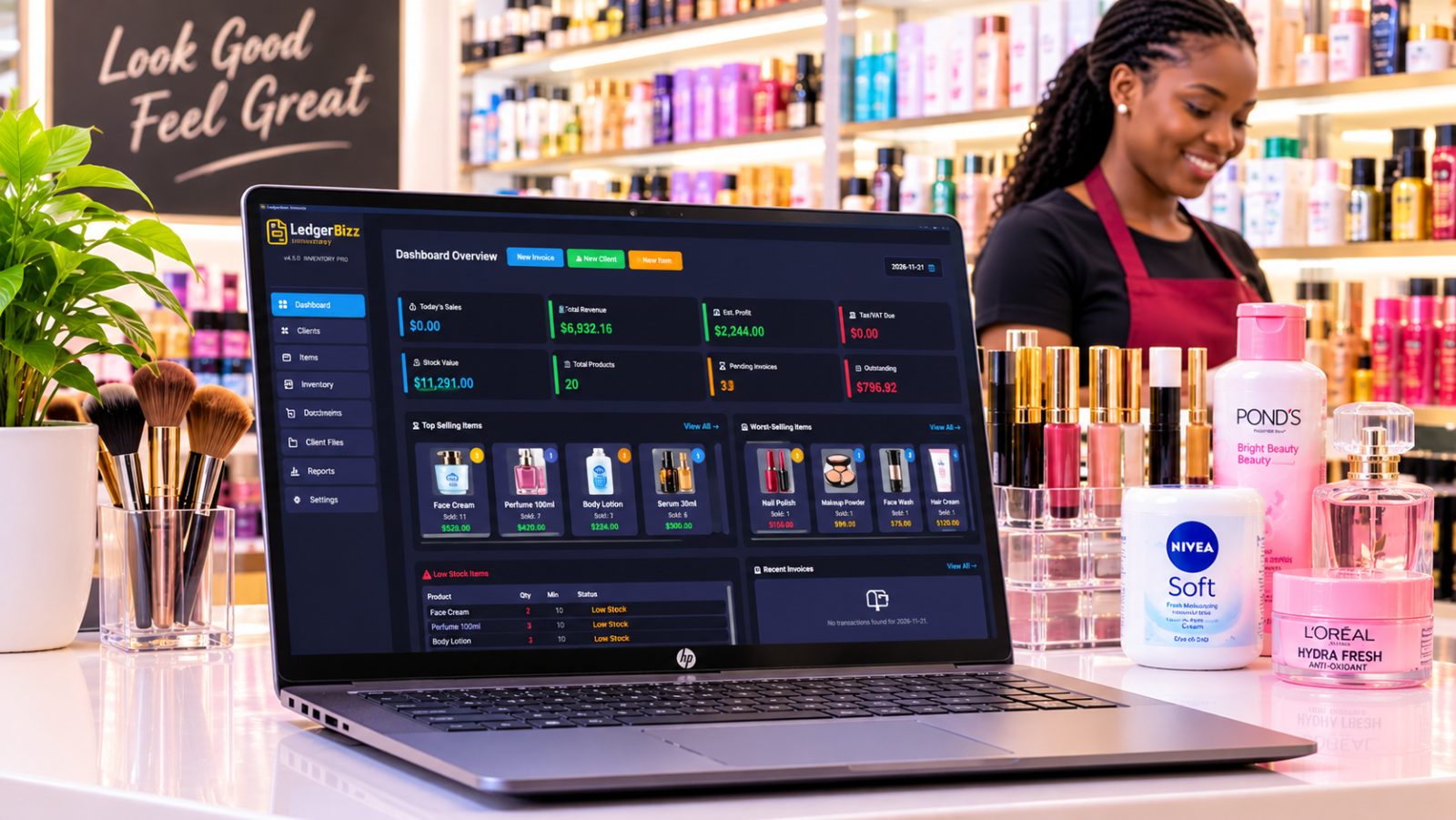
This is where LedgerBizz Inventory Pro steps in. It’s an offline Windows application designed to handle the complexity of retail inventory—specifically for businesses like yours that deal with high-volume, low-margin items.
In this guide, we’ll walk through how to use LedgerBizz to organize your catalog, track stock adjustments (like damage or loss), manage supplier costs, and keep your stationery shop running smoothly.
1. Organize Your Catalog: One Item, One Record #
The biggest mistake stationery shops make is grouping similar items together. In LedgerBizz, every distinct product variation gets its own Item record.
Instead of one entry for "Notebook," you create:
- A5 Spiral Notebook – Ruled
- A5 Spiral Notebook – Unruled
- A4 Hard Cover Notebook – 200 Pages
Why does this matter? Because each item has its own buying price, selling price, and stock level. By keeping them separate in the Items Tab, you can attach specific images (helping staff identify the right notebook quickly) and set unique minimum stock alerts.
Pro Tip: Use the Image Optimization feature in LedgerBizz. It automatically compresses your product photos to under 100KB. This keeps your database fast and lightweight, even if you have thousands of product images.
2. Track Stock Movements: Not Just Sales #
In a stationery shop, stock doesn’t just disappear through sales. Books get damaged, pens go missing, and returns happen. If you only track sales, your inventory records will drift away from reality.
LedgerBizz uses an Inventory Tab specifically for managing these movements. You don’t just "edit" the quantity; you record why it changed.
Common Stock Adjustments: #
- Purchase: Adding new stock from a supplier.
- Sale: Deducting stock via an invoice.
- Damage/Loss: Removing broken or lost items from available stock.
- Correction: Fixing counting errors after a physical stocktake.
When you record a "Damage" adjustment, LedgerBizz removes those items from your sellable stock and logs the reason. This ensures you aren’t trying to sell damaged goods and gives you a clear audit trail of where your stock went.
3. Prevent Stockouts with Minimum Levels #
Running out of blue pens during exam season is a missed opportunity. Running out of A4 paper when a local office needs a rush order is a lost customer.
LedgerBizz helps you stay ahead by letting you set Minimum Stock Levels for each item.
- Go to the Items Tab.
- Set a "Min Stock Level" for your fast-movers (e.g., 50 packs of pens, 20 reams of paper).
- Check the Dashboard or Reports.
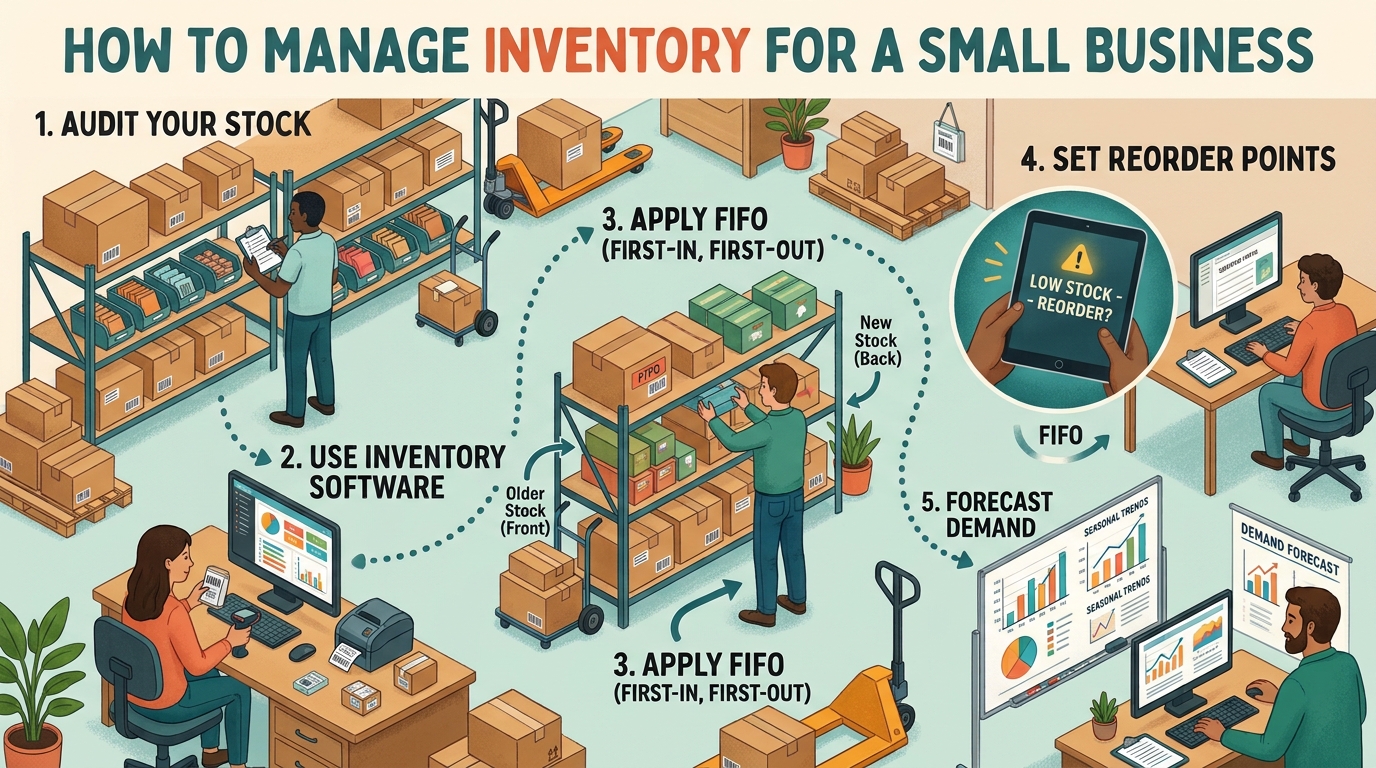
When stock dips below this level, LedgerBizz flags it as Low Stock. You can instantly see what needs reordering without manually checking every shelf.
Note: LedgerBizz provides alerts based on your settings. It doesn’t predict future demand automatically, so you’ll still need to use your knowledge of upcoming school terms or office cycles to adjust these levels proactively.
4. Manage Suppliers & True Costs with Weighted Averaging #
Supplier prices change. You might buy 100 reams of paper at $5.00 today, and next month the price goes up to $5.50. If you simply use the latest price to calculate profit, your reports will be inaccurate.
LedgerBizz uses Weighted Average Cost (WAC) to solve this.
- Buy 100 units @ $5.00 = $500 total cost.
- Buy 100 units @ $5.50 = $550 total cost.
- Total Stock: 200 units.
- Total Cost: $1,050.
- Average Cost: $5.25 per unit.
When you sell a ream of paper, LedgerBizz calculates your profit based on the $5.25 average, not just the last purchase price. This gives you a true picture of your margins.
You can manage all this in the Purchasing Tab:
- Create Purchase Orders (POs) for your suppliers.
- Receive stock against those POs.
- Track supplier history and pricing trends.
5. Speed Up Checkout with Barcode Scanning #
During the back-to-school rush, every second counts. Searching for "A4 Paper 80gsm" in a list of 1,000 items is slow. Scanning it is instant.
LedgerBizz integrates with standard USB Barcode Scanners.
- Scan to Sell: In the Invoice screen, just scan the item. It adds to the cart immediately.
- Scan to Lookup: In the Items tab, scan a product to find its details, stock level, and price.
- Generate Barcodes: If your suppliers don’t provide barcodes, LedgerBizz can generate unique internal barcodes for your items. You can download these as PNGs or ZIP files to print labels for your shelves.
6. Professional Invoicing & Customer Records #
Whether you’re selling to individual students or bulk-ordering schools, you need professional documents.
In the Documents/Invoices Tab:
- Select the customer (or create a new one).
- Scan or select items.
- Apply discounts or taxes if needed.
- Choose payment status (Paid, Partial, Unpaid).
When you save the invoice, LedgerBizz automatically:
- Deducts the stock from your inventory.
- Updates your sales reports.
- Records the revenue.
You can also email invoices directly from the app or print them using customizable PDF templates (Classic, Modern, Corporate, etc.).
7. Know Your Numbers: Reports That Matter #
You can’t improve what you don’t measure. LedgerBizz’s Reports Tab gives you a clear picture of your business health.
- Sales Summary: See total revenue and profit for any date range.
- Top Selling Products: Identify which notebooks, pens, or papers are driving your revenue.
- Low Stock Alerts: A quick list of what needs reordering.
- Profit & Tax: Understand your gross profit after accounting for the Weighted Average Cost of goods sold.
8. Keep Your Data Safe: Offline & Encrypted #
One of the biggest advantages of LedgerBizz is that it is an Offline Windows Application. You don’t need an internet connection to make a sale, check stock, or create an invoice. This is perfect for shops with unstable internet.
But offline doesn’t mean unsafe.
- Auto-Backups: Schedule automatic backups to run daily or weekly.
- Encrypted Backups: Your backup files are AES-256 encrypted. Even if someone steals your backup file, they can’t read your customer data or supplier lists without the password.
- Email Backups: Configure SMTP to have backups emailed to you automatically, giving you an off-site copy of your business data.
Conclusion: Take Control of Your Stationery Business #
Managing a stationery shop is about more than just stacking shelves; it’s about precision. You need to know exactly what’s on your shelves, how much it truly costs you, and when it’s time to reorder.
LedgerBizz Inventory Pro gives you that control. With its robust stock adjustment tools, automated weighted averaging, and smart purchasing features, you can reduce waste, prevent stockouts, and focus on what you do best: serving your customers.
Ready to streamline your inventory? Download the 10-day free trial of LedgerBizz Inventory Pro today. Experience the difference of a system built for serious retailers.
- ✅ Offline Windows App
- ✅ Stock Adjustment Tracking (Damage/Loss)
- ✅ Barcode Scanning Support
- ✅ Weighted Average Costing
- ✅ Encrypted Auto-Backups