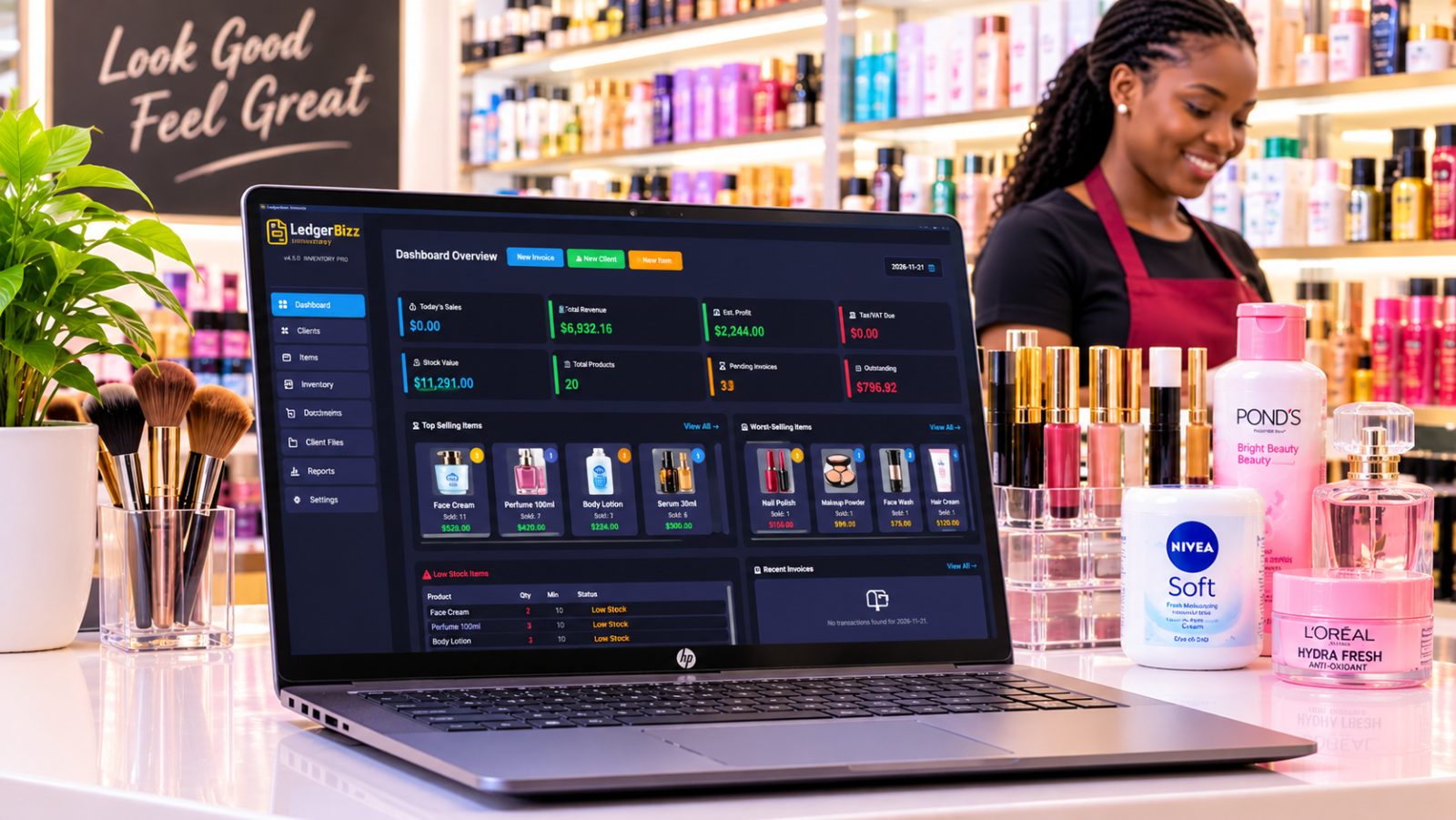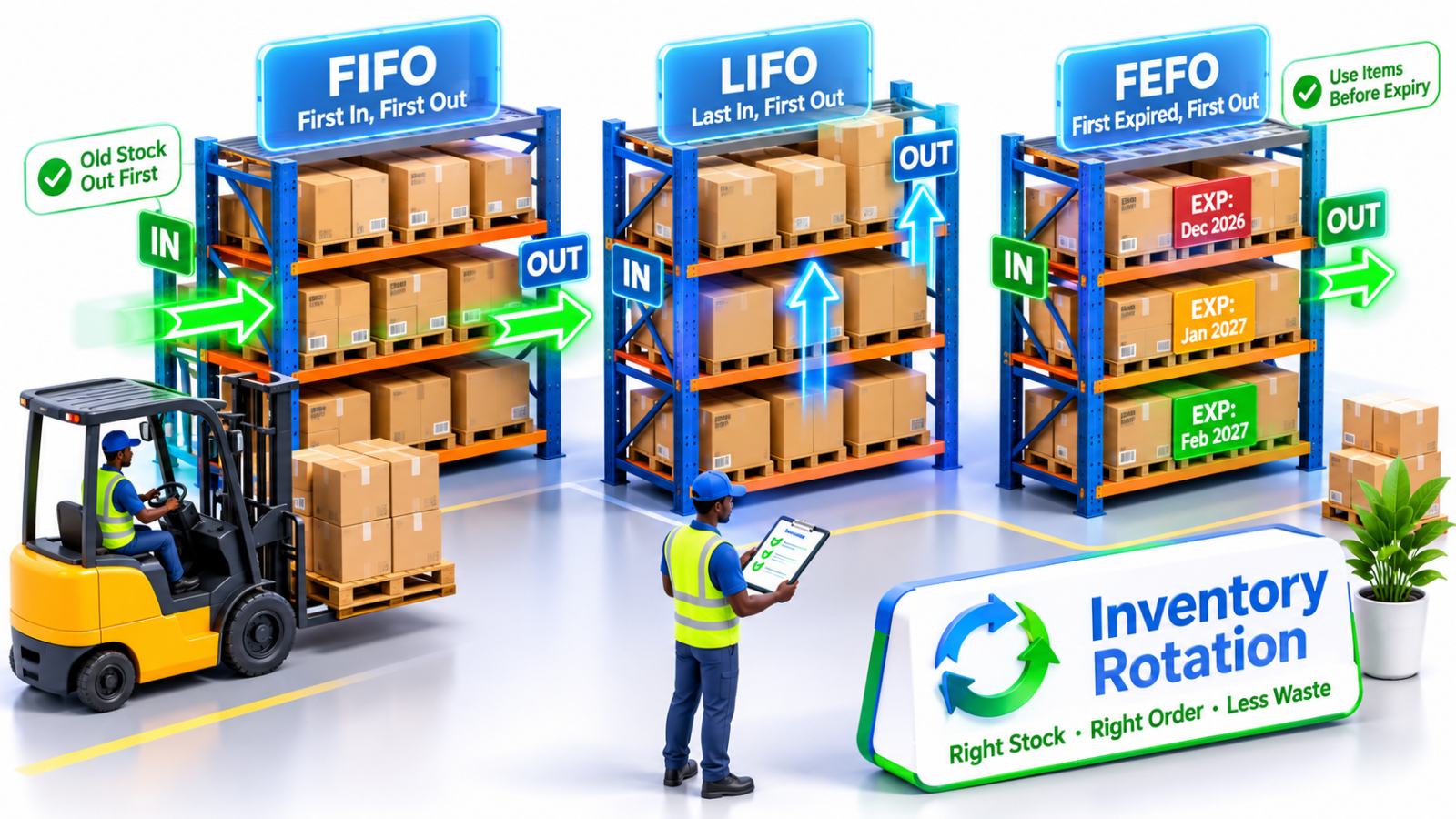
If that scenario makes you uncomfortable, you're in the right place.
Choosing how stock leaves your shelves is one of the quiet decisions that separates profitable inventory operations from leaky ones. The debate usually comes down to three letters-based methods — FEFO vs. FIFO vs. LIFO — and most guides either overcomplicate them or pretend one size fits all. This one won't.
Here's my promise: by the end of this article, you'll know exactly what each method does, which one fits your industry (with a quick decision table), the mistakes that trip businesses up during the switch, and how to actually put your chosen method into practice using LedgerBizz Inventory — screenshots and all.
Why Stock Rotation Matters More Than You Think #
Stock rotation is simply the rule that decides which unit gets sold or used next when a customer orders a product you have plenty of. It sounds trivial until you attach numbers to it.
Consider what goes wrong with no rotation rule at all:
| Problem | What it costs you |
|---|---|
| Expired stock discovered late | 100% loss of product value + disposal costs |
| Old stock pushed to the back | "Ghost inventory" you can't sell or count |
| Over-ordering because you can't see what you have | Tied-up cash and storage costs |
| Customer complaints about near-expiry goods | Reputation damage and returns |
| Failed traceability during a recall | Regulatory risk (food, pharma, cosmetics) |
For businesses dealing in anything perishable — food and beverage, pharmacy, cosmetics, agrochemicals — rotation isn't an optimization. It's survival. But even a hardware store benefits from a consistent picking rule, because consistency is what makes stock counts, valuations, and reorder points trustworthy.
The three candidates for that rule are FIFO, LIFO, and FEFO. Let's break each one down. 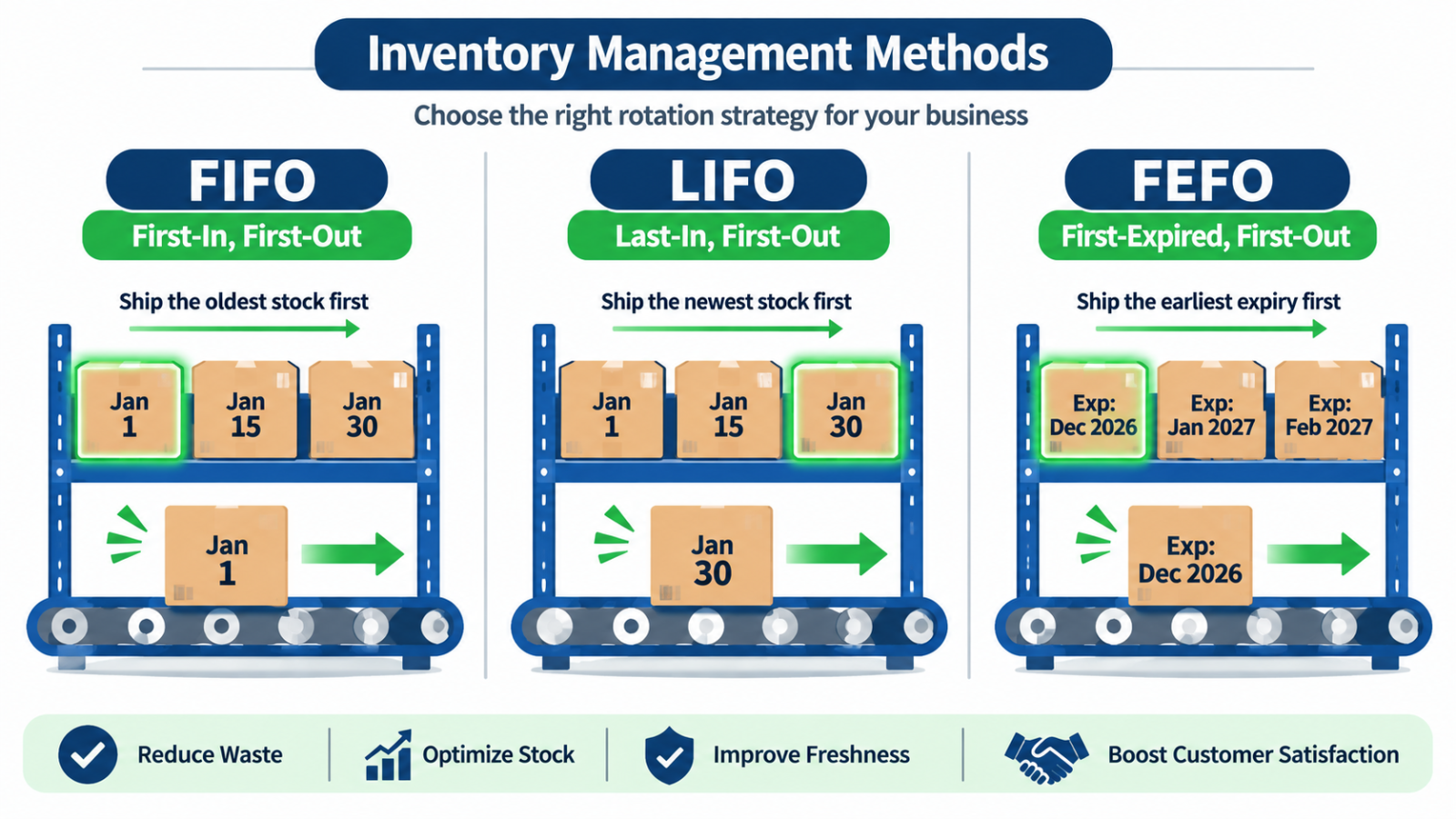
FIFO Explained: First In, First Out #
FIFO is the oldest and most intuitive method: the first stock you received is the first stock you sell. Think of it as a queue — whoever arrived earliest gets served earliest.
Where FIFO shines:
- Non-perishable or long-shelf-life goods (stationery, hardware, apparel)
- Businesses that receive frequent small batches
- Any operation that wants simple, predictable stock flow
Where FIFO struggles:
- When batches arrive with different expiry dates that don't match arrival order. Imagine a supplier delivers a short-dated promotional batch after your regular long-dated stock. FIFO happily sells the long-dated batch first (because it arrived first), and the short-dated batch expires at the back.
FIFO is also an accounting valuation method, which is worth knowing if you discuss inventory value with your accountant — but for day-to-day physical picking, it simply means "oldest receipt leaves first."
NOTE: FIFO is the default assumption in most inventory software, including LedgerBizz. If you've never configured anything, you're probably already running FIFO. The question is whether FIFO is good enough for your products — or whether you need something stricter.
LIFO Explained: Last In, First Out #
LIFO flips the queue: the most recently received stock is sold first. The newest items leave the shelf while older items stay put.
Honestly? For physical stock handling, LIFO is rarely the right choice, and here's why:
- It deliberately leaves old stock behind. If there's any expiry or quality degradation risk, LIFO concentrates that risk in your oldest inventory until it becomes a write-off.
- It mainly exists as an accounting method. In some regions, LIFO valuation is used to reduce taxable income during periods of rising prices. But physically picking last-in-first-out is unusual outside of bulk materials like sand, gravel, or coal piles — where you literally scoop from the top of the heap.
- Many accounting standards restrict it. IFRS, for example, does not permit LIFO for financial reporting, which matters if you operate internationally.
Where LIFO makes sense: bulk, non-degrading commodities stored in piles or silos, and specific tax-planning contexts (with your accountant's guidance).
NOTE: LedgerBizz Inventory deliberately supports FEFO and FIFO as picking policies, and does not offer LIFO picking. That's a design choice, not an oversight — for the perishable-goods businesses this software serves, selling your newest stock first is the fastest way to create expired inventory. If you genuinely need LIFO valuation for accounting purposes, that conversation belongs with your accountant, separate from how your warehouse physically picks goods.
FEFO Explained: First Expired, First Out #
FEFO is the method built for perishables: the stock closest to its expiry date leaves first, regardless of when it arrived.
This is the method supermarkets, pharmacies, and food distributors run on, and it solves the exact blind spot FIFO has. With FEFO:
- A short-dated batch delivered yesterday gets sold before a long-dated batch delivered last month.
- Expiry risk is actively managed instead of accidentally ignored.
- Your write-offs drop because nothing "hides" at the back until it's too late.
FEFO has one requirement FIFO doesn't: you must actually track expiry dates at the batch level. A single product can have three batches on the shelf with three different expiry dates, and your system needs to know which is which — and pick from the soonest-expiring one.
This is also where FEFO gets subtle. A naive "earliest date first" rule would sell already-expired stock before good stock, since expired dates are the earliest. A proper FEFO implementation excludes expired lots from selling (or sells them last with a warning), consumes dated stock soonest-expiry-first, and leaves products with no expiry date until last.
The Head-to-Head: FEFO vs. FIFO vs. LIFO Compared #
Here's the full comparison in one place — this is the table to screenshot for your next team meeting:
| Factor | FIFO | LIFO | FEFO |
|---|---|---|---|
| Sells what first? | Oldest received | Newest received | Soonest to expire |
| Requires expiry tracking? | No | No | Yes (batch level) |
| Best for | Non-perishables, general retail | Bulk commodities, tax valuation | Food, pharma, cosmetics, agro-inputs |
| Expired stock risk | Medium | High | Low |
| Setup complexity | Low | Low | Medium |
| Waste reduction | Moderate | Poor | Excellent |
| Industry compliance | Generally accepted | Restricted under IFRS | Gold standard for perishables |
Quick decision guide by industry:
| Your business | Recommended method |
|---|---|
| Grocery, dairy, bakery, beverages | FEFO |
| Pharmacy, medical supplies | FEFO (often legally required) |
| Cosmetics & personal care | FEFO |
| Seeds, fertilizers, agrochemicals | FEFO |
| Electronics, hardware, apparel | FIFO |
| Books, stationery, general retail | FIFO |
| Sand, gravel, bulk raw materials | LIFO (physical reality) |
NOTE: The deciding question is never "which method is best?" — it's "does my stock expire?" If yes, FEFO. If no, FIFO. LIFO is the exception, not the contender. That simple filter resolves the entire FEFO vs. FIFO vs. LIFO question for about 90% of businesses.
How to Switch Methods Without Losing Your Mind (With LedgerBizz Inventory) #
Knowing your method is half the job. Running it consistently — every receipt, every sale, every stock count — is the other half, and it's where spreadsheets quietly fail. LedgerBizz Inventory was built with this exact transition in mind, so let me walk you through how a real business would set it up.
Step 1: Turn on Expiry Tracking (optional, but required for FEFO). In Settings, the Expiry Tracking section lets you enable per-product expiry dates, set your warning window (say, 30 days) and critical window (say, 7 days), and block the sale of expired items outright.
[Screenshot: LedgerBizz Settings → "Expiry Tracking (Optional)" section, showing the enable switch, warning/critical day fields, and the "Block selling expired items" checkbox checked]
Step 2: Enable Batch/Lot Tracking and choose your picking policy. This is the specialized feature that makes true FEFO possible. LedgerBizz tracks multiple expiry dates per product as separate lots. When you enable it, your existing expiry-tracked items get an OPENING lot automatically — no re-entry needed — and you pick your policy from a simple FEFO/FIFO dropdown.
[Screenshot: LedgerBizz Settings → "Batch / Lot Tracking + FEFO (Advanced)" section, showing the Enable checkbox, the FEFO/FIFO policy selector, and the Reconcile button]
Step 3: Capture expiry dates at receiving. When stock arrives via a Purchase Order, LedgerBizz prompts you for the new lot's expiry date. This is the moment the data enters the system — get it right here and every sale after it is automatic.
Screenshot: [Purchasing tab → Receive Stock flow showing the lot expiry date prompt for a product]
Step 4: Let the system pick for you. When you invoice a customer, LedgerBizz allocates stock across lots according to your policy — soonest expiry first under FEFO — and warns you before selling anything critical or expired. The Inventory tab's lot picker even shows you every active lot with its remaining quantity and days-to-expiry.
[Screenshot: Inventory → Adjust Stock dialog showing the lot picker with expiry dates, e.g., "LOT-261120-001 | exp 2026-12-05 (12d left) | qty 24"]
Step 5: Monitor and clean up. The Dashboard surfaces expired, critical, and warning items with their value at risk, and the Reports tab exports a full expiry report. Anything unsellable gets written off through Adjust Stock, keeping your counts honest.
[Screenshot: LedgerBizz Dashboard → Expiry Alerts panel showing expired/critical/warning counts and value at risk]
NOTE: Being transparent about what this takes: batch-level FEFO is an advanced feature in LedgerBizz, and it only becomes meaningful once expiry tracking is enabled. If your products don't expire, skip all of this — the software stays in simple aggregate mode and nothing changes in your workflow. That optionality is by design; a hardware store shouldn't pay the complexity tax that a pharmacy needs.
Common Mistakes When Implementing Stock Rotation #
Even with the right method chosen, these five mistakes undo the benefits:
- Mixing methods without realizing it. Your receiving team stacks new stock in front (LIFO behavior) while your system assumes FIFO. The physical flow and the recorded flow drift apart until your counts stop matching.
- Tracking expiry per product instead of per batch. If you sell milk but only record one expiry date for "milk," you can't rotate properly the moment two batches coexist. This is exactly why batch/lot tracking exists.
- Never reconciling. After a busy month, check that your recorded stock matches your lots. LedgerBizz's Reconcile Lots vs Stock button audits this in one click — run it monthly.
- Ignoring near-expiry stock until it's expired. Your 30-day warning window is for action: discount it, bundle it, or return it to the supplier — don't just watch it turn red.
- Forgetting returns and write-offs. A returned item goes back into a lot; expired stock gets formally written off. If either happens "off the books," your rotation data slowly becomes fiction.
The pattern behind all five is the same: a stock rotation method only works if every stock movement — in, out, back, or off — passes through one system that enforces the rule. That's the difference between a policy written on the wall and a policy your inventory actually follows.
Final Verdict: Match the Method to the Merchandise #
The FEFO vs. FIFO vs. LIFO question has a cleaner answer than most inventory debates:
- Products expire → FEFO. It's the only method that actively protects you from waste, and for food, pharmacy, and cosmetics businesses it's increasingly a compliance expectation, not a nice-to-have.
- Products don't expire → FIFO. Simple, standard, and it keeps your stock moving honestly.
- LIFO is the niche case — bulk materials and accounting valuation, not everyday retail picking.
Whichever method you choose, the real payoff comes from consistency: every batch received with its expiry date, every sale allocated by the rule, every write-off logged. That's the part a good system does for you quietly, every single day — and it's precisely what LedgerBizz Inventory's optional Expiry Tracking and Batch/Lot FEFO features are built to enforce, without adding a single extra step for businesses that sell non-perishables.
Pick your method, set it up once, and let your inventory stop leaking money at the back of the shelf.
Ready to see which method fits your stock? Try LedgerBizz Inventory and test both FEFO and FIFO on your own products — batch tracking can be enabled (or left off) in a single settings click.